
Version 0.1.5MIT licensed

Free image to SVG converter

Drop in a PNG or JPEG and OpenVector traces it into editable SVG, PDF or DXF paths. It runs on your device, so nothing is uploaded.

Each color becomes one SVG shape

OpenVector groups the pixels by color, then fits curves around each region. This logo has five colors, so it traces into five paths.

Download the traced SVG

Palette, found automatically

#F3EAD8ground
#1F4E5Asky
#F2B134sun
#E2603Bhill
#2C7A6Bleaf
Paths
5
Curve points
44
PNG
7.5 KB
SVG
2.0 KB
The traced SVG with smooth edges The original 120 pixel PNG, enlarged so its pixels show

Editor features. Check and fix the trace before you export.

Exports SVG and five other formats

Save for the web as SVG, for print as PDF or EPS, or for a cutter as DXF.

Removes the image background

Drop the background color and the logo exports with nothing behind it.

The traced sample with its cream background removed

Shows every SVG curve point

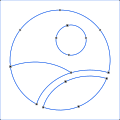
The Paths view draws the 44 points this logo traced into, so you can see what an editor will get.

The sample's paths in blue with their curve points

Converts a folder in one go

The desktop app and the CLI trace a whole batch with the same settings.

Sharp at any size

The same 2.0 KB file, drawn at 16, 48, 128 and 400 pixels.

Converts images from a script

The npm package runs the same engine as the editor. Add it to a build step and every logo in a folder comes out as SVG.

  • Node.js 22.19 or later
  • Linux, macOS and Windows binaries included
  • Also a Node.js library
See the npm package

Questions

Something else? Open an issue on GitHub.

Report a problem
Chrome Firefox Safari Microsoft Edge

Is OpenVector free?

Yes. OpenVector is free and open source under the MIT license. There is no account, watermark or export limit.

Are my images uploaded?

No. The tracing engine runs in your browser as WebAssembly. Images and results stay in the tab's memory and are gone when you close it.

Which image and vector formats work?

It opens PNG, JPEG, GIF, BMP and TIFF. It exports SVG, PDF, EPS, AI, DXF and EMF vectors, and PNG, JPEG, BMP and TIFF renderings.

Which images trace well?

Logos, icons, flat illustrations and scanned line art. Photographs trace into thousands of small shapes and rarely make a useful vector.

Which browsers can run OpenVector?

A current Chrome, Edge, Firefox or Safari with WebAssembly threads and WebGL2. The first visit downloads about 5 MB; later visits use the cached copy.